IQsupply - Procurement and Delivery Management for Customer Orders and Projects
Do you handle custom orders, supply equipment, or source products for customer projects?
IQsupply consolidates purchasing requirements from approved customer orders, compares them with available inventory, and helps you order the products you need.
Know exactly what you're buying, which project it's for, and where it needs to be delivered.
Know What to Order and Which Project It's For
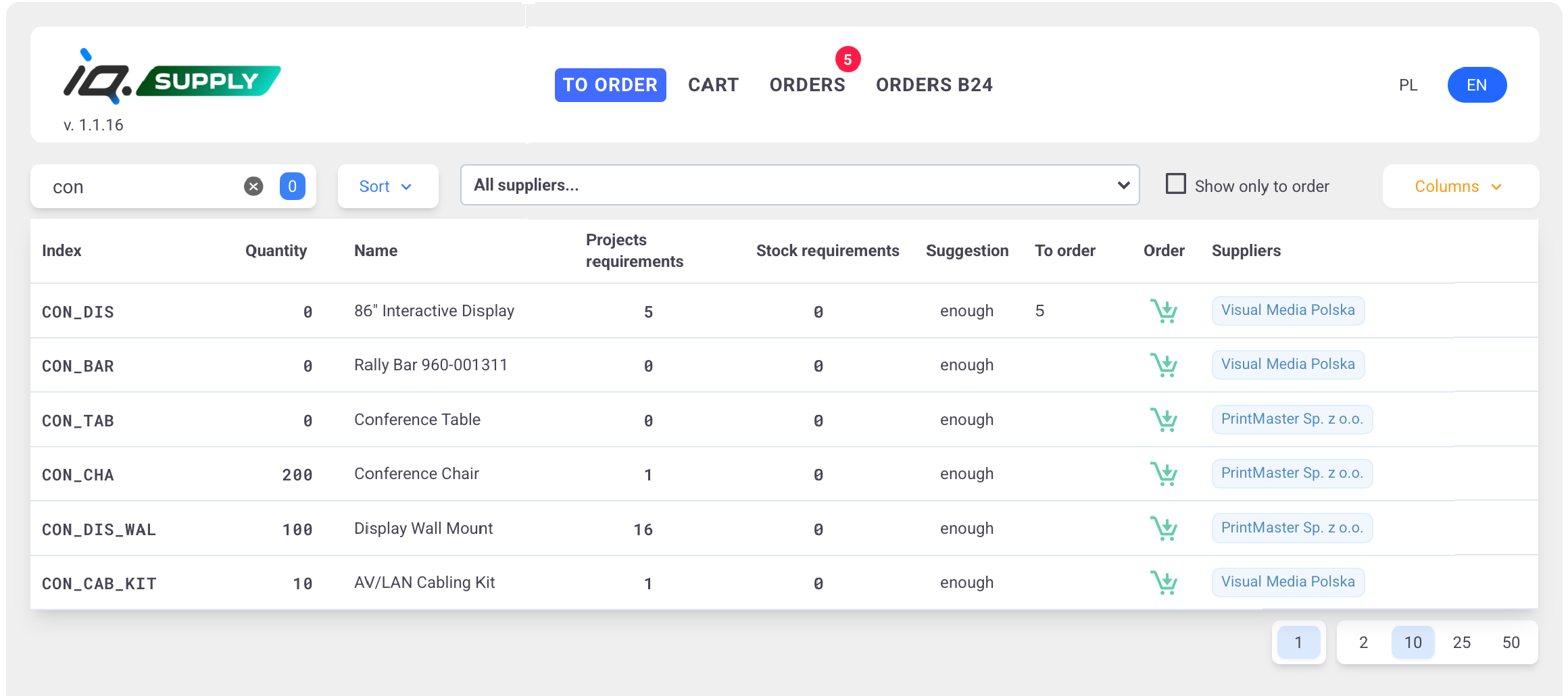
IQsupply collects purchasing requirements from approved customer orders and projects, then compares them with current inventory levels. A single consolidated view shows which products are needed and how many units must be purchased, without manually comparing separate spreadsheets or order lists.
Organize Purchasing Carts and Generate Supplier Orders
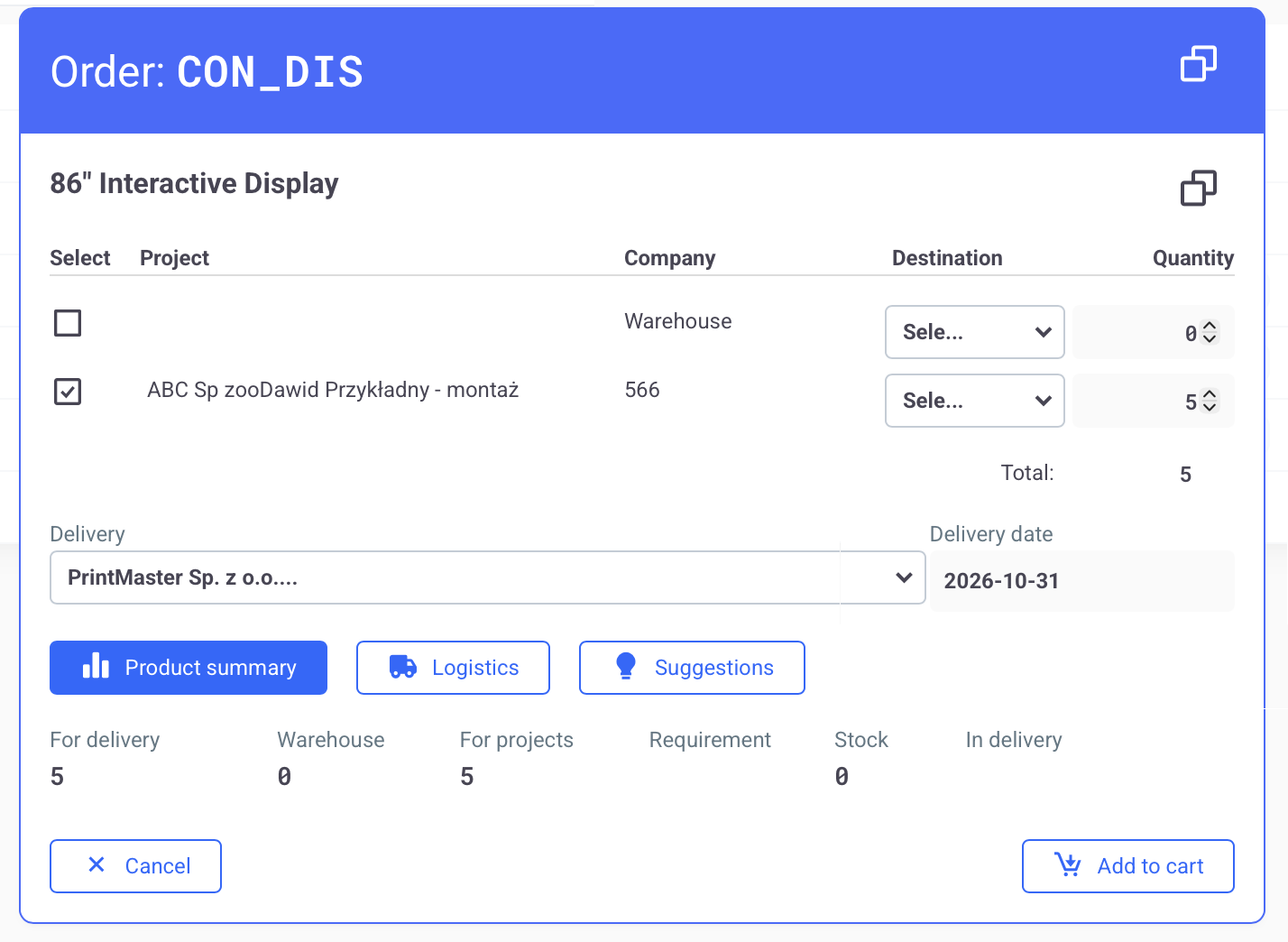
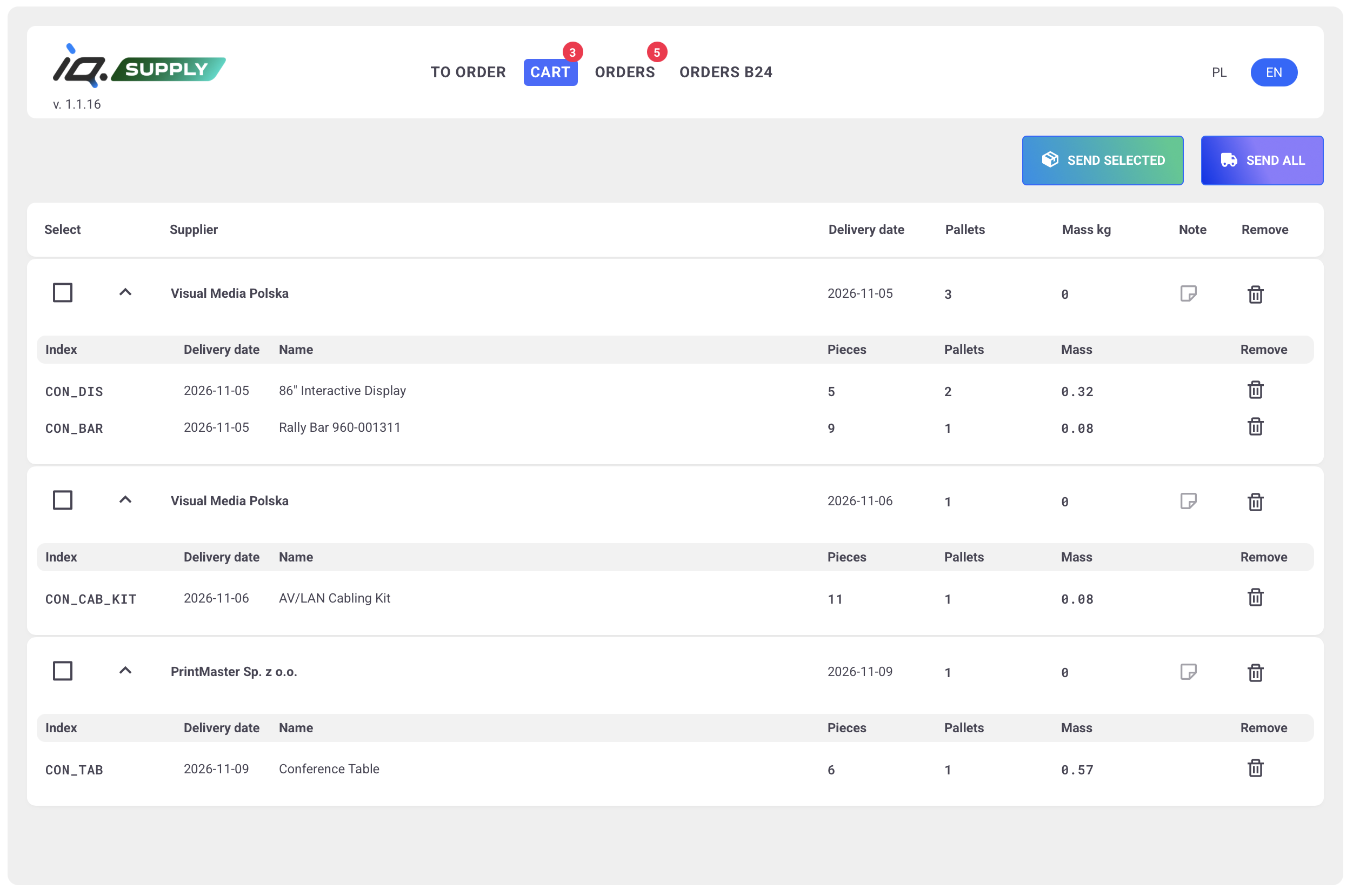
IQsupply organizes products into purchasing carts based on suppliers, delivery dates, and delivery destinations. Products can be delivered to a selected company warehouse, including environments with multiple warehouses, or shipped directly to the customer. Once a purchasing cart is submitted for processing, IQsupply creates a supplier order in Bitrix24.
The system automatically generates a PDF purchase order and sends it to the supplier, reducing the time spent preparing documents and emails manually. Your purchasing process stays organized, with supplier orders and related information available in one place.
Track Project-Related Deliveries with AI Support
Delivery dates affect more than purchasing. Project managers need to plan the next stages of implementation. Warehouse teams need to prepare for incoming goods. Installation teams need the right components to arrive on time. Tasks, notifications, and linked Bitrix24 chats make it easier for buyers, warehouse staff, project managers, and installation teams to coordinate their work. Relevant information reaches the people who need it, without forwarding entire supplier email conversations across departments.
Communication with suppliers and colleagues can also be processed automatically with AI. Based on incoming messages, the system can support updates to delivery statuses and expected delivery dates. When a message requires a decision, the buyer receives information about the issue, its context, and suggested next steps. This may involve unavailable products, changes to delivery conditions, or an unclear delivery confirmation. For example, a supplier's notification about a partial shipment may trigger a delivery update while suggesting that the buyer confirm the expected arrival date of the remaining products. Important changes that require approval remain under the control of an authorized employee.
Connect IQsupply with Your ERP. Shared Data, More Efficient Processes.
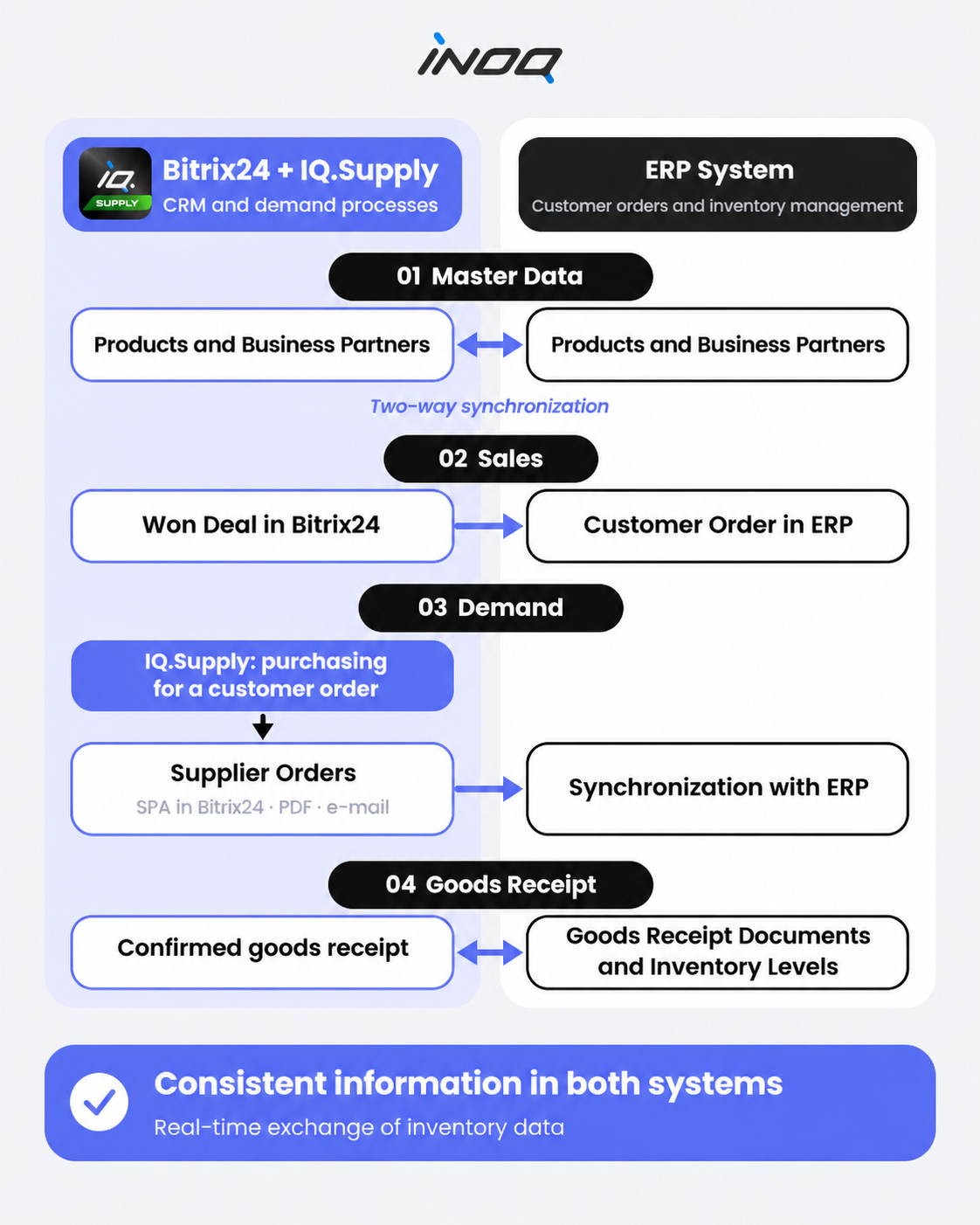
IQsupply connects sales and purchasing processes in Bitrix24 with your ERP system, enabling information to flow automatically across the different stages of order fulfillment.
A Shared Product and Business Partner Database
Synchronizing master data between Bitrix24 and your ERP helps keep product, customer, and supplier records up to date. Information can be updated across both systems, regardless of where it was originally entered.
From a Won Deal to a Customer Order in ERP
A successfully closed deal in Bitrix24 can automatically generate a customer order in your ERP system. Customer details, products, quantities, and fulfillment conditions can be transferred without manually entering the same information again.
Supplier Purchasing with IQsupply
Based on prepared purchasing carts, the system creates supplier orders in Bitrix24, generates PDF documents, and sends purchase orders to suppliers. Purchase orders can also be transferred to your ERP system.
Goods Receipt and Inventory Updates
Whether incoming goods are received in your ERP or another connected part of the process, integration enables the synchronization of warehouse documents and inventory levels. Information about received deliveries becomes available to employees responsible for the next stages of customer order fulfillment.
Instead of spending time on manual data entry and transferring information between departments, employees can focus on fulfilling customer orders and delivering projects.

 .